In today’s digital landscape, digital portfolios have emerged as transformative tools for capturing, organizing, and showcasing student learning experiences. Currently, educators and learners alike recognize that static paper binders often fail to reflect the diverse talents and evolving skills of every student. In contrast, digital portfolios provide dynamic, multimedia-rich platforms where students can present videos, audio recordings, images, written reflections, and interactive elements.
By integrating universal design principles, digital portfolios allow neurodiverse learners—including students with autism spectrum disorder, ADHD, dyslexia, and other cognitive variations—to express themselves in ways that align with their unique processing styles. In this article, we will explore how today’s educators can harness the full power of digital portfolios to create engaging, accessible, and inclusive learning environments. From understanding the foundational concepts of neurodiversity to practical strategies for implementation, this comprehensive guide will equip schools and districts with the knowledge they need to launch or refine a successful digital portfolio initiative.
Embracing Neurodiversity in Today’s Classrooms
Recognizing Unique Learning Profiles
Neurodiversity acknowledges that variations in brain function and cognition are natural human differences rather than deficits. Students with ADHD may excel at rapid problem-solving, while learners on the autism spectrum often demonstrate extraordinary pattern recognition or deep focus on specialized topics. Dyslexic students frequently bring exceptional creativity and big-picture thinking to writing assignments. By valuing these diverse strengths, educators can move beyond one-size-fits-all assessments and cultivate environments where each student’s contributions are recognized.
The Limitations of Traditional Assessment
Historically, standardized tests and paper-based portfolios have dominated K-12 and higher education. These formats can inadvertently disadvantage neurodiverse learners by emphasizing written responses under timed conditions or requiring rigid organizational structures. As a result, many students struggle to translate their true abilities into grades or portfolio entries. In contrast, digital portfolios offer flexible entry formats—allowing audio narrations, video demonstrations, and image galleries—that better align with varied communication preferences. This flexibility fosters confidence, engagement, and a sense of ownership over one’s learning journey.
By embracing neurodiversity and shifting toward strengths-based assessments, schools create more equitable practices that honor each student’s unique profile. Digital portfolios serve as a natural extension of this inclusive paradigm, enabling learners to showcase competencies in ways that resonate with their individual needs and abilities.
Exploring the Advantages of Digital Portfolios
Celebrating Strengths and Creativity
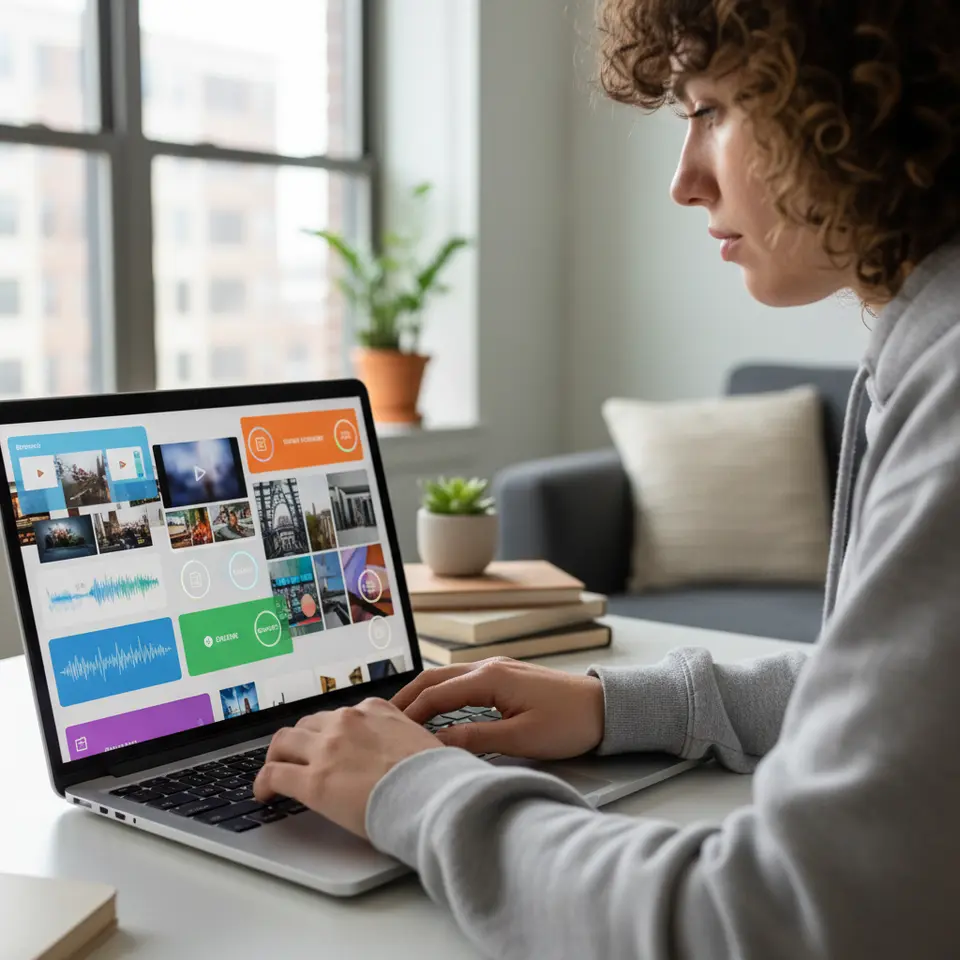
One of the most compelling benefits of digital portfolios is the ability to highlight diverse talents. For example, a student with strong verbal storytelling skills can record narrated video reflections, while an artistic learner might curate a gallery of digital drawings or animations. These multimedia entries not only capture a fuller range of student work but also encourage creative exploration. In today’s education systems, celebrating creativity often leads to higher motivation and deeper investment in projects.
Encouraging Self-Advocacy and Reflection
Digital portfolios naturally incorporate structured reflection prompts that ask students to analyze their progress, set personal goals, and articulate challenges. This guided self-assessment builds metacognitive skills, fostering greater self-awareness and independence. Learners with ADHD, for instance, benefit from breaking down complex tasks into smaller milestones and documenting each step digitally. Over time, students develop confidence in speaking about their strengths and advocating for support—skills that are essential for academic success and future career readiness.
Enabling Personalized Feedback
Educators can provide timely, targeted comments directly within a digital portfolio platform. These annotations might include text notes, voice messages, or video feedback. Such multimodal communication meets learners where they are, catering to different processing preferences. For example, a student with dyslexia may find audio feedback clearer than written notes. This level of personalization supports mastery learning by allowing teachers to adjust scaffolding, resources, and next steps based on each student’s evolving profile.
Essential Elements for an Effective Portfolio
Multimedia Integration and Interactivity
To address varied learning styles, an effective digital portfolio must support multiple content types: images, audio files, videos, embedded documents, and interactive widgets. Platforms like Seesaw and Microsoft Sway enable seamless integration of these media, offering drag-and-drop interfaces that simplify content creation. Such capabilities ensure neurodiverse learners can express ideas in formats that align with their cognitive strengths.
Structured Reflection Prompts
Embedding guiding questions helps students articulate their learning journey. Prompts may include: “What surprised you about this project?”, “Which strategies supported your success?”, or “What goals will you set for next time?”. Providing these questions in a consistent template encourages regular reflection, deepens self-awareness, and strengthens critical thinking skills.
Accessibility and Universal Design
Platforms should adhere to universal design for learning (UDL) principles, ensuring compatibility with screen readers, offering closed-captioned videos, and allowing adjustable font sizes and color contrasts. Resources from the U.S. Department of Education (https://www.ed.gov) and CAST (https://www.cast.org) highlight best practices for inclusive digital content. Prioritizing accessibility features ensures that all learners, including those with visual or auditory processing differences, can engage fully with their portfolios.
Privacy and Security Controls
Maintaining student confidentiality is paramount. Robust platforms offer customizable sharing settings, enabling educators to restrict access to specific viewers—such as parents, teachers, or peers. Compliance with regulations like FERPA guarantees that personal data remains protected throughout the portfolio lifecycle.
Step-by-Step Implementation Strategy

1. Platform Selection and Pilot Testing
Begin by evaluating platforms on criteria such as ease of use, multimedia support, privacy safeguards, and built-in accessibility features. This year (2026), many schools choose Google Sites, Microsoft Sway, or specialized learning management systems. Assemble a pilot team of teachers, administrators, and tech support staff. Conduct small-scale trials to gather feedback on usability and address technical challenges early.
2. Template Design and Customization
Create portfolio templates that outline sections for work samples, reflective journals, goal-setting pages, and feedback areas. Offer multiple themes so students can personalize layouts. Templates should include placeholder prompts to guide initial entries and model best practices for organization and digital citizenship.
3. Professional Development for Educators
Train teachers on platform navigation, universal design strategies, and effective feedback techniques. Hands-on workshops encourage educators to build sample portfolios, exchange peer reviews, and practice differentiating supports. Providing job-embedded coaching helps reinforce skills throughout the year.
4. Student Onboarding and Support
Host interactive orientation sessions where students learn to upload files, record audio reflections, and embed external links. Pair learners for peer feedback exercises, fostering collaboration and community building. Provide step-by-step video tutorials that students can revisit independently.
5. Curriculum Integration and Ongoing Review
Embed portfolio tasks into existing assignments, project-based units, and reflection periods. Allocate regular check-in times for portfolio conferences, during which students showcase progress to teachers and caregivers. Collect feedback through surveys and focus groups to refine templates and prompts on an ongoing basis.
Assessing Outcomes and Future Innovations
Measuring Growth and Engagement
Educators can track quantitative metrics—such as frequency of portfolio updates—and qualitative indicators like the depth of reflections or creativity of media entries. Surveys administered by research institutions, including the National Center on Learning Disabilities (https://www.ncld.org), reveal that students who maintain digital portfolios report higher engagement and self-efficacy. This data guides continuous improvement and helps demonstrate academic impact.
Leveraging AI and Emerging Technologies
Looking ahead, artificial intelligence analytics may offer personalized learning insights by identifying patterns in student submissions and suggesting targeted resources. Virtual and augmented reality elements could create immersive showcase experiences, bringing science experiments or historical recreations to life. Collaborative portfolio spaces might connect learners across districts and even countries, fostering peer mentorship and global project exchanges.
Scaling and Sustainability
To sustain momentum, establish a digital portfolio community of practice where educators share success stories, troubleshoot challenges, and co-create resources. Quarterly training updates ensure that staff stay current on platform enhancements and emerging accessibility standards.
Building Student Confidence Through Digital Portfolios
Digital portfolios play an important role in helping students build confidence and recognize their personal achievements. By showcasing completed projects, creative work, and reflective entries, learners gain a stronger sense of accomplishment and ownership over their education. Neurodiverse students especially benefit from opportunities to present strengths in formats that feel comfortable and empowering. Instead of focusing only on grades or test scores, portfolios highlight progress, creativity, communication, and problem-solving abilities. Teachers can further strengthen student confidence by celebrating portfolio milestones during classroom presentations or parent conferences. Over time, these positive experiences encourage students to participate more actively in learning activities and develop greater academic independence and self-esteem.
The Role of Parents and Caregivers in Portfolio Development
Parents and caregivers can significantly enhance the effectiveness of digital portfolio initiatives by actively participating in the learning process. Through secure access to portfolio platforms, families can review assignments, monitor progress, and celebrate student achievements regularly. This involvement strengthens communication between educators and households while creating a supportive environment for learners. Parents may also encourage students to reflect on completed projects, discuss personal goals, and organize portfolio entries at home. For neurodiverse learners, consistent family support can improve motivation, reduce anxiety, and reinforce positive learning habits. Collaborative engagement between teachers and caregivers ensures that digital portfolios become meaningful tools for continuous growth both inside and outside the classroom.
Overcoming Common Challenges in Digital Portfolio Implementation
While digital portfolios provide numerous educational benefits, schools may encounter challenges during implementation. Limited access to devices or internet connectivity can create barriers for some students, particularly in underserved communities. Teachers may also require additional training to effectively manage multimedia content, provide personalized feedback, and integrate portfolio activities into existing curricula. Another common challenge involves maintaining student engagement and ensuring regular portfolio updates throughout the academic year. Schools can address these issues by offering technical support, creating clear guidelines, and providing flexible submission options. Establishing realistic expectations and ongoing professional development opportunities helps educators and students adapt successfully to digital portfolio systems while maintaining long-term program sustainability.
Preparing Students for Future Academic and Career Opportunities
Digital portfolios extend beyond classroom assessment by preparing students for future educational and professional opportunities. Colleges, universities, and employers increasingly value portfolios that demonstrate creativity, technical skills, collaboration, and personal growth. Students can use these platforms to showcase research projects, presentations, certifications, volunteer experiences, and extracurricular achievements in a professional format. Neurodiverse learners benefit from having personalized ways to communicate strengths and accomplishments that may not appear in traditional resumes or transcripts. Additionally, digital portfolio development helps students improve essential twenty-first-century skills such as digital literacy, communication, organization, and self-reflection. These competencies support long-term success in higher education, career development, and lifelong learning environments.
FAQ
What is a digital portfolio?
A digital portfolio is an online collection of a student’s work that can include videos, images, audio files, documents, and reflections. It allows learners to showcase their achievements in multiple formats, offering a richer view of their skills and growth than traditional paper-based portfolios.
What are the main benefits of digital portfolios for students?
Digital portfolios help students organize and showcase their learning through multimedia formats such as videos, images, audio recordings, and written reflections. They encourage creativity, improve self-reflection skills, support personalized learning experiences, and provide a more complete representation of student growth and achievements over time.
How can digital portfolios support neurodiverse learners?
Digital portfolios enable multimodal submissions—such as video reflections, audio narrations, and interactive media—that align with varied learning profiles. This flexibility helps neurodiverse students demonstrate strengths and progress in formats that match their cognitive preferences and processing styles.
Which platforms are recommended for creating digital portfolios?
Popular options include Seesaw, Microsoft Sway, Google Sites, and specialized LMS-integrated portfolio tools. When choosing, consider ease of use, multimedia support, accessibility features, privacy controls, and cost.
How do I ensure student privacy with digital portfolios?
Select platforms that comply with FERPA and offer customizable sharing settings. Educators should configure permissions so only authorized viewers—such as specific teachers, parents, or peers—can access each student’s portfolio.
Conclusion
Digital portfolios represent a powerful, inclusive approach to documenting and celebrating student growth—particularly for neurodiverse learners who thrive when given multiple means of expression. By integrating multimedia content, structured reflections, and universal design features, today’s educators can build environments where every student feels valued and empowered. Implementing a thoughtful rollout that includes platform selection, tailored templates, professional development, and ongoing evaluation ensures success this year (2026) and beyond. As educational technology continues to evolve, digital portfolios will play a central role in shaping personalized, strengths-based learning journeys for all students in today’s digital landscape.